


Pc simulator 2D Game Introduction
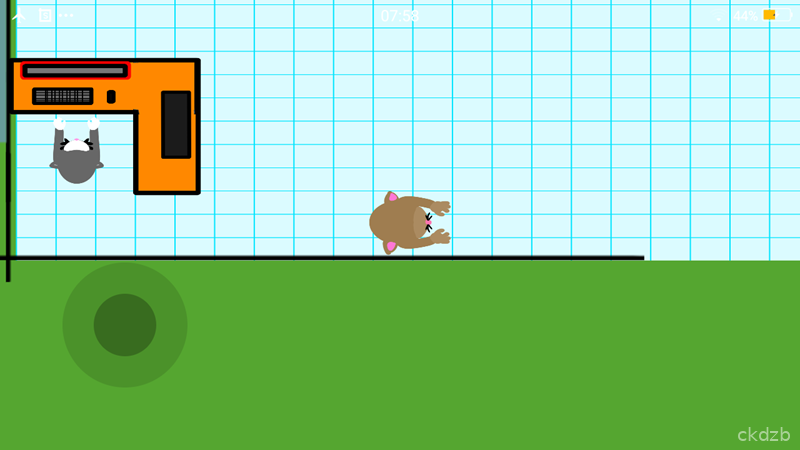
Pc simulator 2D is a casual simulation game where you play around with building and upgrading a virtual computer in a simple 2D style. Instead of worrying about real prices or breaking actual parts, you can experiment freely and see how different components fit together.
The game focuses on the fun side of PC building rather than hardcore technical details. It is light, easy to pick up, and designed for players who enjoy tinkering with parts, upgrading bit by bit, and watching their setup slowly improve.
Pc simulator 2D runs on Android, so you can play it anywhere without needing a powerful device. It is a nice little sandbox for anyone curious about PCs or just looking for a relaxed tech-flavored game.
Pc simulator 2D Game Features
1. Simple PC Building: Put together virtual components like cases, CPUs, and other parts without needing real-world hardware knowledge.
2. 2D Visual Style: Enjoy a clean, flat 2D look that keeps everything clear and easy to understand on a small screen.
3. Touch-Friendly Controls: Tap and drag to move parts around, making it comfortable to play on both phones and tablets.
4. Upgrade Progression: Start from a basic setup and slowly improve your machine as you earn more in-game resources.
5. Lightweight Game Size: Keep storage usage low so the game fits even on devices with limited space.
Pc simulator 2D Game Highlights
Clean interface -> The layout stays simple, so you are never lost in menus or overwhelmed by options.
Relaxed pacing -> Play at your own speed without timers forcing you to rush your builds.
Beginner friendly -> Even if you barely know what a CPU is, you can still enjoy putting parts together.
Quick sessions -> Short play bursts work well during breaks or while commuting.
Offline play -> You can enjoy the game without needing a constant internet connection.
Pc simulator 2D Game Gameplay
Experiment with parts and components to see how your virtual PC changes as you upgrade and rearrange everything.
Tap through the menus to select cases, internal parts, and other items, then place them where they belong using simple drag actions.
Earn in-game rewards by completing small tasks so you can afford better components for your build.
Check your progress from time to time and decide whether to tweak the layout or save up for a bigger upgrade later.
Keep playing casually over multiple sessions so your once-basic PC slowly turns into a more powerful virtual machine.
Pc simulator 2D Game Conclusion
Pc simulator 2D is a straightforward simulation game that focuses on the fun of building and upgrading a PC in a light 2D package. It skips the stress of real-world prices and technical specs, giving you a relaxed place to experiment.
If you enjoy casual tech-themed games or just want something simple to tinker with between tasks, Pc simulator 2D offers an easy way to scratch that PC building itch on Android. It is not trying to be a hardcore simulator, and that is exactly what makes it approachable.
FAQ
What is Pc simulator 2D about?
Pc simulator 2D is a light simulation game where you build and upgrade a virtual PC in a simple 2D interface using touch controls on Android.
Do I need real PC hardware knowledge to play?
No, you do not need technical knowledge. The game keeps things simple so anyone can enjoy putting parts together and upgrading over time.
Can I play Pc simulator 2D offline on my phone?
Yes, Pc simulator 2D is designed so you can play casually without a constant internet connection, making it handy for travel or breaks.